
Honeymoon photo books
Build a two-person story around shared rituals, turning points, and the ordinary moments behind the destination.
Your family trip, made tangible
Away We Go turns the photos already on your iPhone into a first draft you can rearrange, personalize, print, and have delivered.
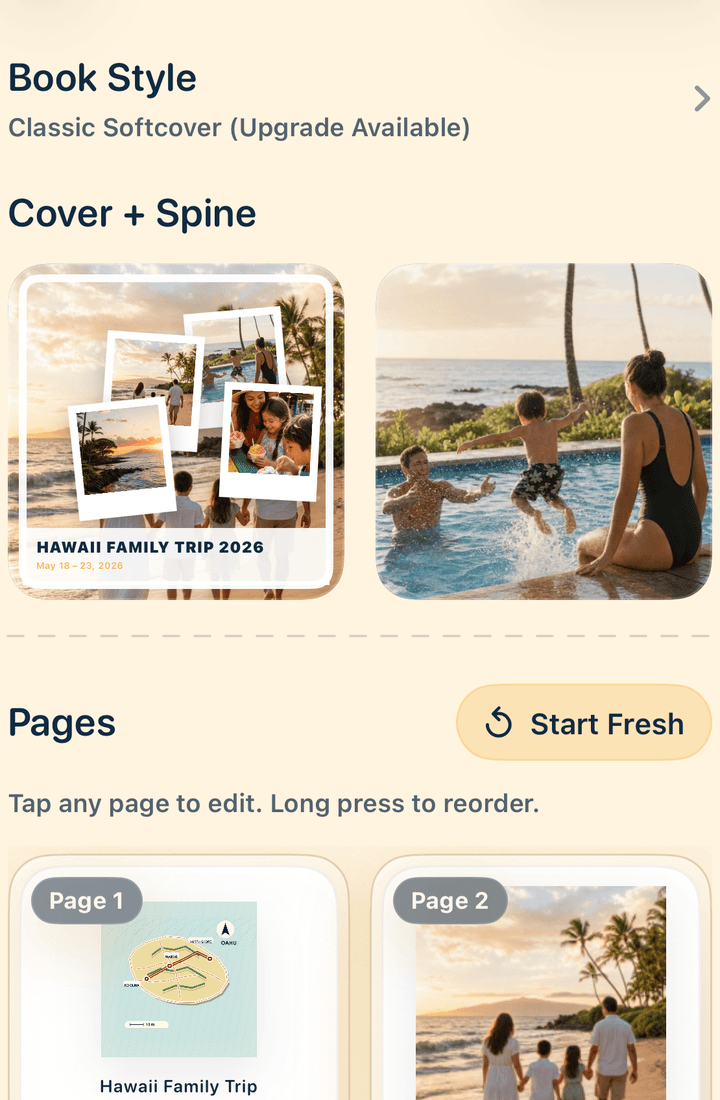
Family travel is made of scale and detail: the mountain view, the snack bought twice, a child asleep on the train, the wrong turn that became the story everyone repeats. A useful travel photo book gives those moments a sequence instead of treating the camera roll like an inventory.
Away We Go is an iPhone app built around that job. It creates a complete starting point, then keeps the meaningful decisions in your hands. The result can be orderly or playful, spare or full of captions, as long as it feels like the people who took the trip.
From camera roll to coffee table
Bring together the people, places, candid moments, wide views, and small details that made the family trip yours. Taste Check helps narrow the set, while Cover Star helps choose an image that can lead the book.
Magic Builder creates a first version from the photos you select. Instead of facing blank pages, you can respond to a complete sequence and decide what deserves more room, what should move, and what can leave.
Rearrange pages and photos, switch between feature images and photo grids, add captions or story pages, and adjust each crop and frame. The draft handles the beginning; your choices make the book recognizable.
Add custom maps and destination artwork for more than 250 places, then personalize the cover with the destination, year, family name, photo, or artwork that identifies the journey on a shelf.
Choose a classic or premium softcover, or a premium hardcover. Review the finished book, place the order, and Away We Go handles printing and delivery.
Start with the trip in front of you
Build a two-person story around shared rituals, turning points, and the ordinary moments behind the destination.
Turn one focused camera-roll album into a first draft, then edit the sequence from your iPhone.
Use stops, route changes, maps, and transition photographs to give a long drive a readable shape.
When the images need more context, use our guide to travel photo book captions and story prompts.
Plan the edit
A readable book mixes people, place, action, and details. Keep one strong version of repeated views, make sure the usual family photographer appears, and leave room for the imperfect picture that holds an irreplaceable memory.
Use our guide to choose photos for a travel photo book, then follow the full step-by-step travel photo book guide.
The first draft removes the blank-page problem. From there, rearrange pages and photos, choose photo grids, write captions and story pages, and adjust crop and frame choices. Add a custom map when geography matters. Use destination artwork as a chapter break or on the cover when it helps identify the trip.
Cover personalization gives the finished book a clear place in family history: destination, year, travelers, and the image or artwork that brings it back. Classic and premium softcover formats and a premium hardcover give you a choice for the way the book will be handled, shared, or given.